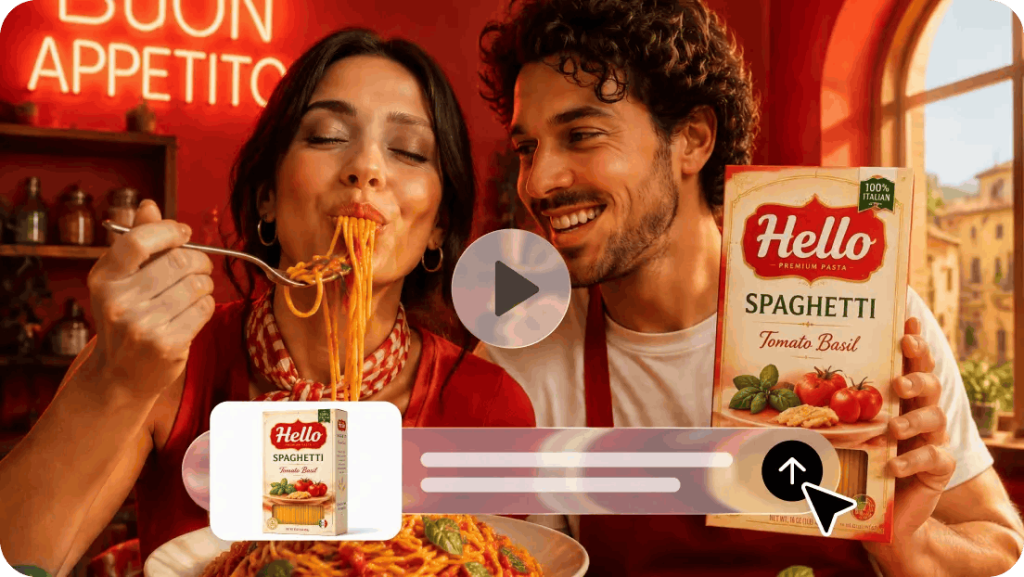
Vertical videos are a must-have for engaging people on short-form social media. They offer portrait layouts for mobile screens and are ideal for product demonstrations, promotional storytelling, and creator-style advertising. But changing the dimensions of the frame is not sufficient for creating effective short-form videos. Media composition, product visibility, scene pacing, and duration determine the viewer’s experience of the promotional content. Within a single creative environment, Dreamina combines video generation, image references, and editing tools. Its Seedance models enable you to create video with motion control and character consistency. With careful preparation, promotional clips can be created appropriate to the specific social media channels.
Understand the Creative Requirements of Vertical Short-Feed Videos
Vertical composition deals with the way in which visual elements are distributed in a limited screen space. Portrait videos offer more vertical space than landscape videos, but less horizontal space. So, featured products should be visible during key moments in a scene. Presenters can showcase products using demonstrations, gestures, and direct visual interaction. Backgrounds should support the subject, but not be distracting. Too many decorations, too large text, and irrelevant objects can distract viewers. The length of the video also affects the amount of information per scene. For short clips, it is best to have a clear message, familiar products, and intentional shots. Before creating, think of the target audience, platform, and purpose of promotion. These decisions set up a realistic creative direction for your marketing studio work.
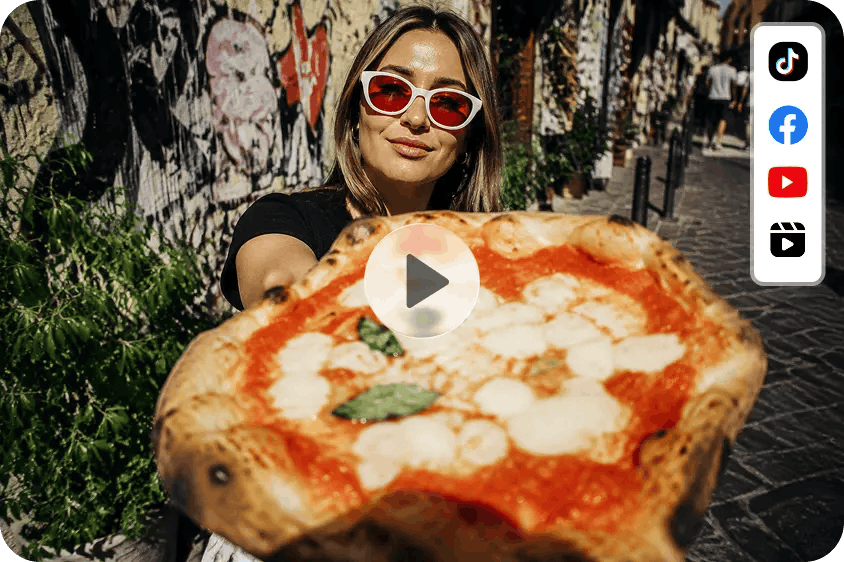
Design Product Scenes for Portrait-Oriented Composition
Product placement helps viewers identify an item at first glance. Items placed in the middle make for a natural focal point, or you can force it to be in the middle. If you’re using an avatar, make sure there is plenty of space between the presenter and product. This way, there is no overlap between the elements, which means that no important product information is hidden. Limited backgrounds create visual context; foreground objects bring depth. Up-close framing is great for packaging, textures, materials, and unique features. But over-cropping can eliminate identifiable product traits. Provide prompts that are clear about portrait framing, camera distance, positioning of the subject, and how the background should look. When someone says these things, the process of generating has clearer visual directions.
Develop Short-Form Creative Concepts With Strong Visual Direction
Vertical videos can convey promotional messages in various ways. Product reveal – a product is presented through an interesting opening shot and immediately recognised. A presenter introduction is a presentation that presents the purpose of a product or introduces the benefits of a product through the use of an avatar. Feature highlights draw attention to a particular feature by zooming in and giving demonstrations. Lifestyle demonstrations involve setting products into appropriate settings and contexts for viewers’ comprehension. Promotional sequences are a series of visual moments around a single marketing message. For instance, a clip could start by showing a product and then showcase one of its features, followed by branding. Both methods should be framed consistently, and there should be obvious relationships between the individual scenes. By choosing one main idea, visual clutter is avoided.
How to Create Vertical Videos for Short Feeds via an AI Marketing Studio
Step 1: Upload your product and add a presenter for short feeds
1. Sign up or log in to Dreamina to start making your short-feed content.
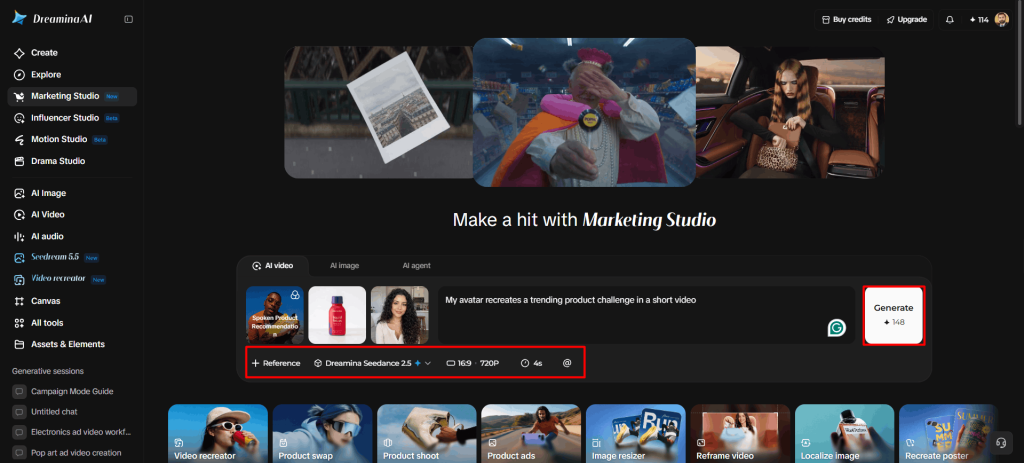
2. Next, head to “Marketing Studio” on the left bar to open the creation tools.
3. Pick “AI video” for videos, “AI image” for images, or “AI agent” for images and short videos.
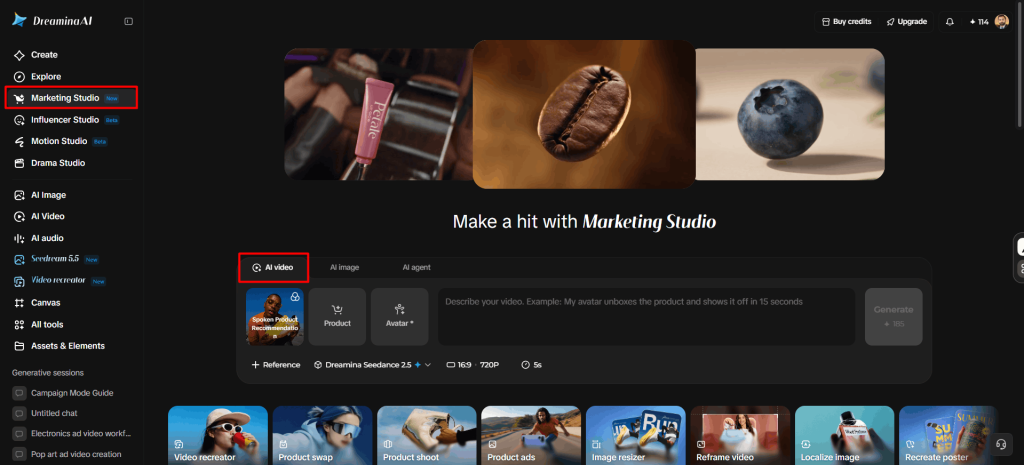
4. In “AI video”, click “Change style” to choose a style that suits quick, scrollable content.
5. Click “Product” to upload your product photo, then click “Avatar” to bring in a presenter.
6. You can also pick an existing product and avatar from the library.
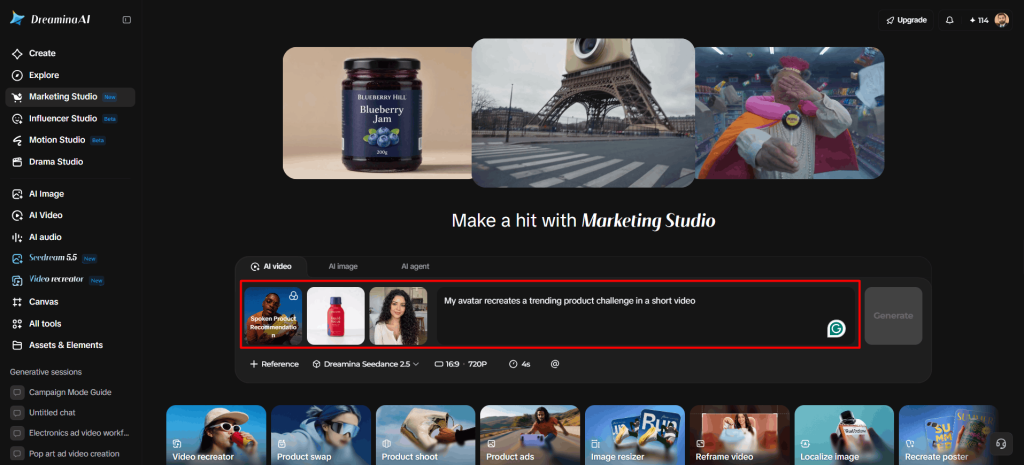
7. Write a prompt about the look and feel, and add custom direction for a punchy short video.
Step 2: Set a vertical format and generate the video
1. Open the “Reference” tab and add a video that shows the AI the style you want.
2. Choose a model such as HappyHorse 1.1, Dreamina Seedance 2.5, Dreamina Seedance 2.0, Dreamina Seedance 2.0 Fast, Dreamina Seedance 2.0 Mini, or Wan 3.0.
3. Choose a vertical custom size and quality from the “Aspect ratio” and “Resolution” tabs.
4. Click the “Duration” tab to select a short length that keeps viewers watching.
5. Use the “@” option to mention the product so it stays visible in the frame.
6. Click “Generate” to begin creating your vertical video.
Step 3: Preview the vertical video and download it
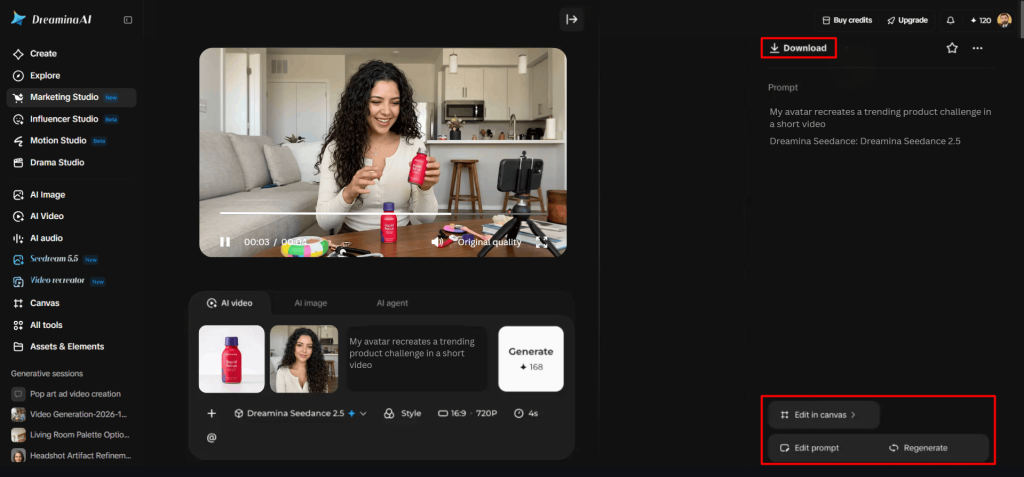
1. Watch the finished video on full screen and check the product framing, the avatar’s delivery, and the pacing.
2. If the video needs work, choose “Edit prompt” or “Regenerate” to refine the result.
3. You can also use “Edit in canvas” to replace the background, add effects, or crop the video.
4. Once you feel satisfied, click “Download” to save the video and share it across your marketing channels.
Control Aspect Ratio, Resolution, and Duration Before Generation
Output settings affect the way promotional videos will look when they are published in various places. Vertical formats are typically 9:16 and are ideal for viewing on mobile devices in full-screen mode or for portrait shots. Landscape: Usually in a 16:9 ratio or wider, it’s better suited to wide shots and horizontal applications. Square formats are also popular, usually a 1:1 ratio, for appropriate social media placements. Select dimensions based on the destination, not the “one size fits all” mentality. Resolution is the number of pixels that make up the video that is created, and therefore the level of detail that can be seen. The higher the resolution, the more detail that can be captured, but compression on the platform may affect playback quality. Duration should be related to the concept that is chosen and the generation capabilities. Product reveals may require less screen time, and demonstrations may require more. The generation options available may be limited by the models and settings of Dreamina’s account.
Keep Visual Pacing Focused Throughout the Short Video
The first few seconds should immediately tell you what the product is or what the primary promotional point is. When introductions are delayed, it can make the bond between viewers and the advertised product weaker. Don’t have too many things going on in the scene, too many movements, or too many decorations. Presenters should make movements that enhance the product demonstration and ensure visual clarity. The product positioning remains the same throughout the video, which helps viewers follow the promotion message. Transitions should be seamless and not interfere with the viewing experience. Sudden shifts can cause short clips to appear disjointed or confusing. Look at the whole video before you publish it, including the beginning, the transitions, and the end. Focus on product appearance in various motions and camera angles.
Adapt Vertical Marketing Content Through Editing and Creative Variations
Video editing can assist you in tailoring the videos you generate for your particular campaign needs. Dreamina’s Edit in Canvas allows you to edit with the ability to crop, replace the background, and add effects. Sometimes certain elements need to be moved around to enhance portrait framing through cropping. Background replacement can create various backgrounds without altering the main promotional idea. Restrained use can make effects enhance the desired look. Prompts can be edited, and different versions of the prompt can be re-generated with different compositions or visual prompts. Reusing product references helps to keep recognisable branding in creative variations. Other images and videos can be used to enhance product pages, advertising campaigns, and social media content. Review dimensions, product visibility, resolution, and presentation for publication prior to placement.
Conclusion
In addition to choosing portrait, there are certain compositions to consider when creating effective vertical promotional videos. Presentation is affected by product visibility, presenter positioning, visual pacing, and appropriate output settings. Dreamina brings together product references, video generation, and editing in a single creative workflow. It helps create and optimize video footage for various types of short-form content placements. Clear prompts and careful reviews enable creators to develop focused marketing visuals.